Every time your user jumps from your main website to a third-party payment domain – Shopify, Razorpay, PayPal, WooCommerce Subdomains, or custom checkout engines – your analytics platform treats it as if a brand-new user just appeared out of nowhere. The result? Broken user journeys, inflated sessions, lost source/medium, and a completely scrambled understanding of what’s actually driving revenue.
For performance marketers, this is more than a technical nuisance. It is a direct attack on your ability to optimize, scale, and trust your own numbers.
In this blog, we’ll break down why multi-domain checkouts disrupt tracking, how they sever the event flow between your marketing channels and your backend logic, and – most importantly – how to rebuild a clean, end-to-end measurement system that ties every click to every cart, checkout, and purchase.
Because in a world where data accuracy powers every decision, reconnecting your event flow isn’t optional – it’s your competitive edge.
Jump ahead to:
How Multi-Domain Checkouts break Tracking
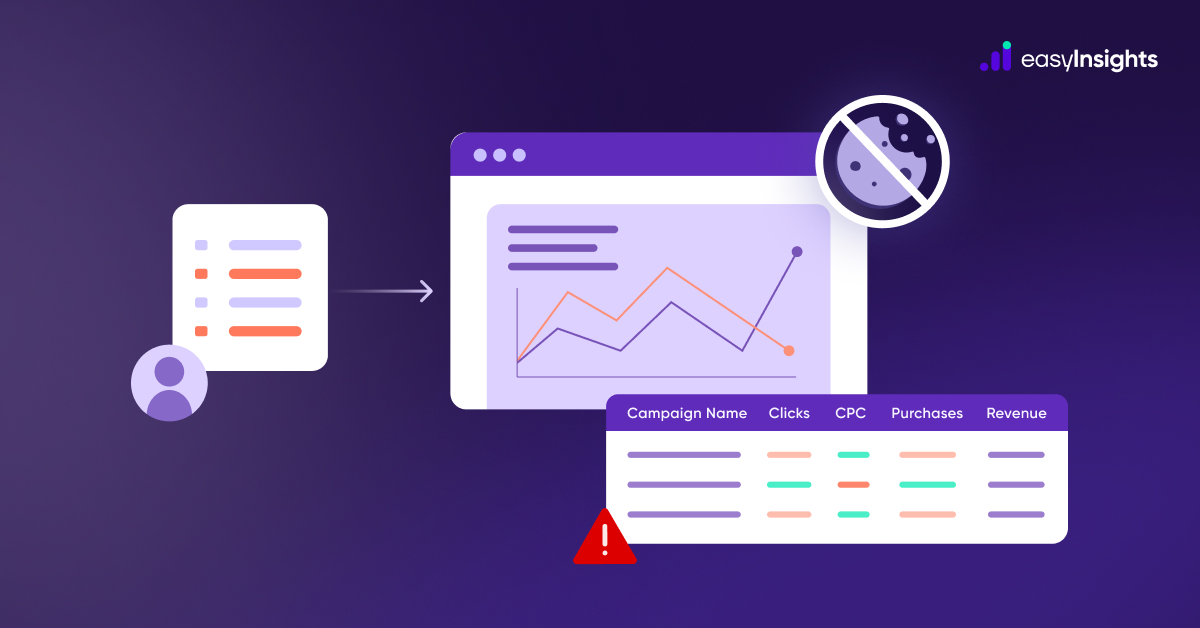
Multi-domain checkouts break your tracking because analytics tools – which rely heavily on first-party cookies – see every new domain as a brand-new session and a brand-new user. This splits the user journey, inflates metrics, and makes your data unreliable.
To fix this, GA4 uses cross-domain tracking: you connect all domains under the same GA4 property and configure them in GA4 and GTM so they pass a shared user identifier (like the _gl parameter) across domains, keeping the session and user consistent.
Why this happens – the technical root causes
1. Cookies are domain-scoped and browsers enforce isolation
Cookies set on example.com aren’t accessible to checkout-store.com. That means client identifiers (GA cookie, first-party IDs) don’t travel automatically across domains, so analytics can’t stitch clicks to conversions. Modern browsers also restrict cross-site cookie sending via SameSite rules and third-party cookie blocking, which makes naive cross-domain approaches brittle.
2. Redirects and referrer loss break link decoration
Many cross-domain solutions rely on link decoration (attaching a client id or _gl parameter to the URL). Redirects, intermediate URLs, or improper server responses can strip or fail to forward those parameters – and once you lose that identifier, the checkout domain thinks the visitor is new. GA4 supports link decoration, but it must be correctly configured on every domain in the flow. Google Help
3. Client-side tracking is fragile and privacy-sensitive
Client-side pixels depend on the browser to run JavaScript and send events. Ad blockers, privacy settings, and network issues can prevent those events from firing. That leaves server-side events (order confirmations from your backend) as the only reliable source – but mixing client and server events without deduplication creates duplicates. Google Help
4. Duplicate events and attribution mismatches
If your pixel fires in the browser and your server sends a postback for the same purchase, ad platforms may count it twice unless you match and deduplicate using a shared event_id and the platform’s deduplication mechanism. Failing to deduplicate distorts CPA, ROAS, and optimization signals.
Consequences: Lost Conversions and Skewed Metrics
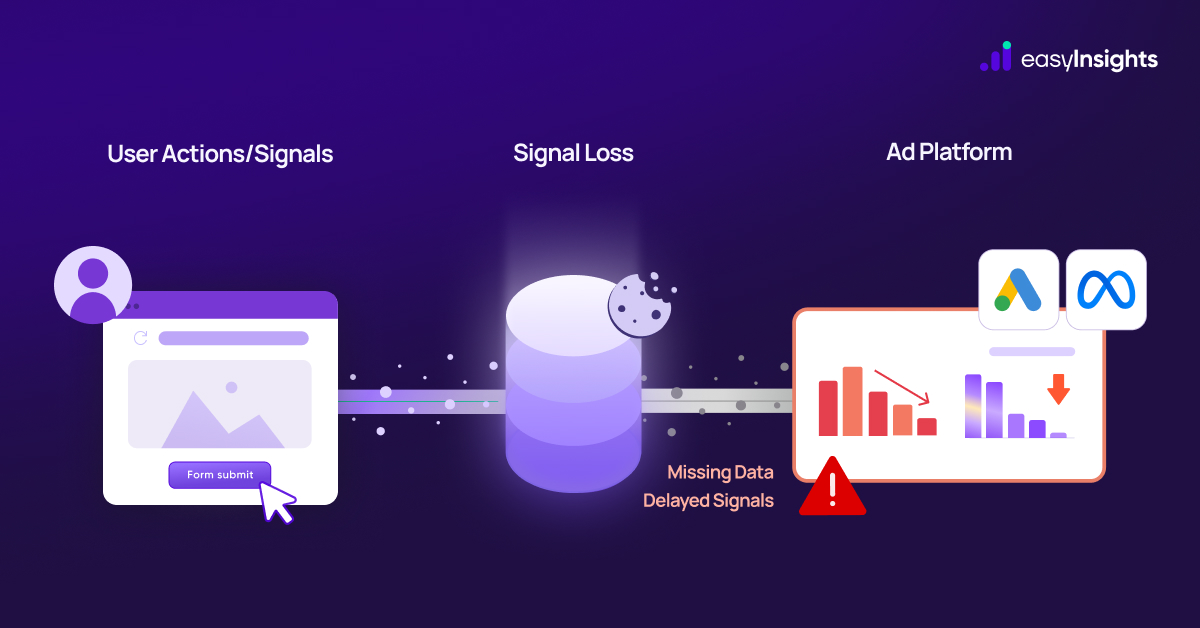
When analytics sessions break between domains, data gets distorted. Conversions (like a purchase or signup) happening on the checkout domain may not be tied to the original session. GA4 might attribute that sale to “Direct” or the wrong channel, hiding what really drove it
The first site sees a bounce (user left), and the checkout site sees an orphaned visit. This can inflate bounce rates and double-count users.
EasyInsights notes that without cross-domain tracking a lead form on a subdomain was being logged as a new visit with no referrer. Marketing touchpoints (Google Ads, Facebook, etc.) were lost, and the lead showed up as “Direct,” causing “ inflated user sessions & broken referral paths”
In practice, you’ll see conversions under a generic channel and your ROAS and funnel metrics go off, making budgets and optimizations unreliable.
Also read: Multitouch Attribution in Customer Purchase journey
Fixing Cross-Domain Tracking
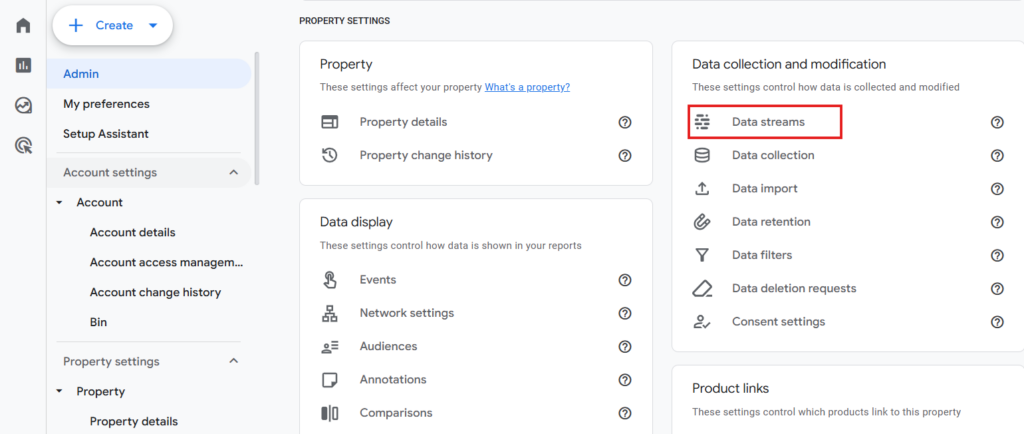
The good news is these breaks can be fixed. The primary solution is to enable cross-domain tracking so the user’s GA4 client ID is passed between domains. In GA4 this is done in the Admin settings:
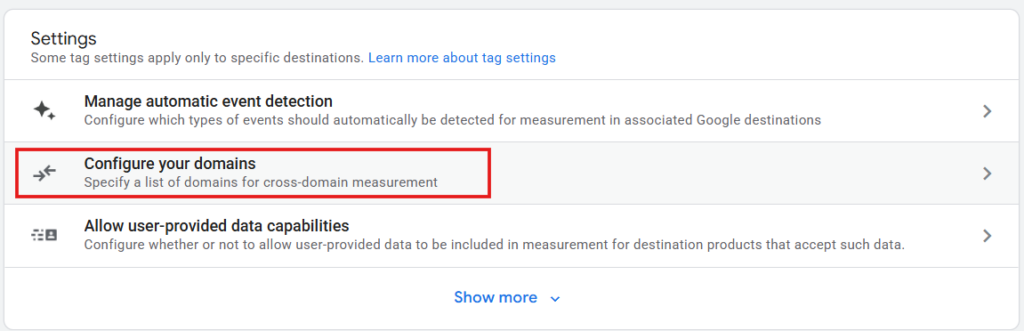
go to Admin > Data Streams > [Your Web Data Stream] > Configure tag settings > Configure your domains.
There, add all related domains (e.g. myshop.com and checkout.partner.com) for the same GA4 property support.google.com.

GA4 will then automatically append a special _gl linker parameter (holding the client/session ID) to links between those domains.
First-Party and Server-Side Tracking
For robust data, consider moving more tracking into first-party or server-side systems. First-party tracking means using your own domain for cookies (e.g. hosting the checkout on a subdomain of your site) or employing browser fingerprinting so a user can be recognized across domains without relying solely on cookies. EasyInsights, for example, uses a pixel and “digital fingerprinting” to identify users across domains
Server-side tagging is another advanced fix. In this setup, instead of the browser sending hits to GA, your server captures events (like a purchase) and forwards them to GA or other analytics. Because this happens behind the scenes, browser cookie restrictions (or domain changes) don’t interrupt it. Google’s GTM Server container or third-party services can implement this. Because data sent from the server is less affected by browser restrictions or ad blockers, preserving accuracy.
Also read: Why Meta Loves First Party Data
Key Steps to Fix Cross-Domain Breakage
- Enable GA4 Cross-Domain: In your GA4 property, add all domains (main site, checkout, partners) under Admin > Data Streams > Configure tag settings > Domains.
- Update Tags: Use gtag or GTM with linker or allowLinker=true so the _gl parameter is added to links between domains google.com.
- Consistent IDs: Make sure the same GA4 Measurement ID is used on every page of each domain, so GA4 recognizes the same property.
- Test Thoroughly: Use GA4’s DebugView or Tag Assistant to click through checkout links and ensure no new session is started (look for the _gl parameter and a single session_start).
- Consider Server-Side: If cross-domain issues persist (e.g. if redirects strip URL params), use server-side tagging to capture events and link them to the original session on the backend.
- Monitor Metrics: After fixing, watch for drops in “Unassigned” traffic and more coherent multi-step funnels. Proper setup should eliminate self-referrals and direct-attributed conversions at checkout
How to Reconnect Event Flows End-to-End Across Multi-Domain
When a user moves from yourstore.com → checkout.partner.com → success.yourstore.com, analytics can break the journey into 2-3 separate sessions. To reconnect this into one continuous flow, you must ensure:
- The same user identifier persists across domains
- The session does not reset
- The conversion event is tied to the original source and campaign
- All tools (GA4, Meta CAPI, EasyInsights, etc.) receive unified data
How EasyInsights Fixes Multi-Domain Tracking
1. Unified Identity That Survives Any Domain Switch
EasyInsights assigns a persistent user ID using browser signals, fingerprinting, and server-side fallbacks – so the journey stays intact even if cookies break, _gl is stripped, or users pass through 3-5 external domains.
2. Pixel + Server Tracking That Never Misses an Event
The Pixel captures all frontend actions; the Server API captures backend confirmations – then EasyInsights merges them with a shared event ID.
✔ No duplicates
✔ No missing conversions
✔ No broken funnels
3. True, Clean Attribution Across Channels
EasyInsights ties gclid, fbclid, UTMs, referrers, and fingerprinting together to show exactly which campaign drove which purchase – even if checkout happened off-domain.
4. Complete Funnel Reconstruction
Landing → Product → Cart → External Checkout → Payment → Purchase → CRM
All stitched into one timeline inside a single user profile.
Conclusion
Multi-domain checkouts aren’t going away. In fact, as brands scale across new payment gateways, embedded wallets, and modular commerce stacks, the number of domains involved in a single purchase journey only grows. But the real danger isn’t the complexity – it’s the hidden data loss happening behind the scenes.
By implementing cross-domain tracking, maintaining consistent user identifiers, and strengthening your stack with server-side and first-party data strategies, you can restore a clean, uninterrupted view of how users move from ad to Final Conversion.
Brands that fix cross-domain tracking can finally trust their measurement again, send accurate conversion signals to ad platforms, optimize faster, and scale with confidence.
Fix your Broken Tracking with EasyInsights – Book a demo