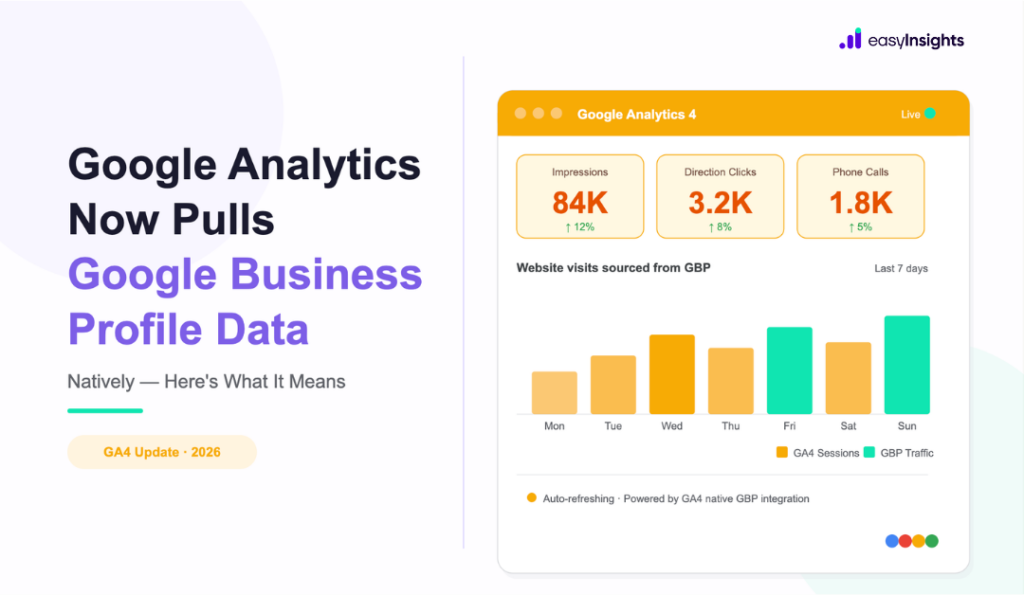
Google has officially documented a native integration between Google Business Profile (GBP) and Google Analytics 4 – and while it sounds like a small update, it closes a measurement gap that has frustrated local and performance marketers for years.
Until now, the only way GA4 could attribute traffic from your Business Profile was through UTM-tagged links, and those only captured website clicks. Every phone call, direction request, booking, or message from your GBP listing? Invisible to your analytics stack.
That changes with this integration.
Jump ahead to:
What’s actually changing
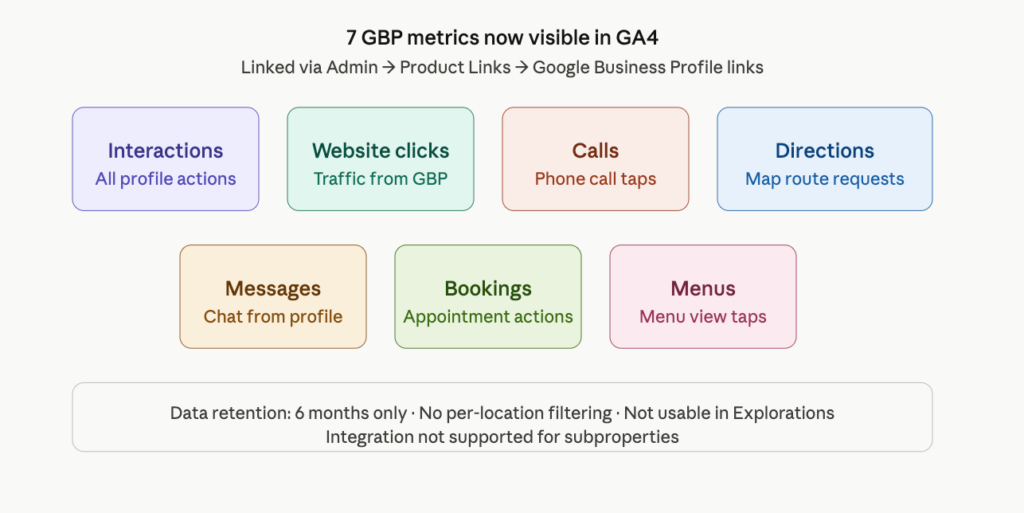
Once you connect a Google Business Profile via the Product Links section in your GA4 Admin settings, a dedicated GBP reporting section appears inside your Analytics reports – covering seven interaction types: interactions, website clicks, calls, directions, messages, bookings, and menus. Time Bulletin
This means for the first time, you can see off-site local actions sitting alongside your on-site behavioral data – in one place, without stitching together exports from the GBP dashboard and GA4 manually.
Why this matters for performance marketers
For anyone running location-based campaigns – whether that’s Google Ads with location extensions, Local Service Ads, or even organic local SEO – this is a meaningful signal upgrade.
Calls and direction requests are high-intent actions. A user tapping “Call” or “Get Directions” from a Business Profile is often further down the funnel than someone clicking through to your website. Previously, those local actions happened directly on the profile itself, completely outside what Analytics could see – even if UTM tags were in place on the website link.
With native GBP data in GA4, you can start building a more complete picture of how your local presence contributes to conversion-stage behavior.
Also read: Top 6 SEO Metrics You Need To Track
The limits you need to know
This integration has some sharp edges – and for multi-location brands and agencies, they matter a lot.
If you link more than one Business Profile, GA4 aggregates all metrics into a single dataset. There’s no way to filter or segment by individual location. The metrics also can’t be used in Explorations, comparisons, or filters, and the integration doesn’t work for subproperties.
There are no granular controls over which GBP data points get shared – linking shares everything listed, all at once.
GA4 retains GBP data for only six months. Reports won’t surface anything older, even if your GA4 date range goes further back.
One more nuance: GA4 shows all seven GBP metrics regardless of your business type, whereas the native Business Profile dashboard only surfaces metrics relevant to your category. You may see metric rows that don’t apply to your business – something to filter out when building reports.
How to set it up
The setup is straightforward:
- Go to GA4 Admin → Product links → Google Business Profile links
- Click Link and select the profile(s) you want to connect
- You’ll need Editor or Administrator access on the GA4 property, and Owner or Manager permission on the Google Business Profile(s) you’re linking. Google Support
The feature may not yet be visible in every Analytics account, so if you don’t see the option, it’s likely in phased rollout. Time Bulletin
What this still doesn’t replace
The Business Profile dashboard, exports, and the Performance API still provide more granular, location-level detail than this GA4 integration. Multi-location operators will still need those tools for location-by-location analysis – GA4’s aggregated view is a supplement, not a replacement.
For now, the primary beneficiaries are single-location businesses that want to stop toggling between two dashboards, and performance marketers who want local intent signals closer to their core reporting layer.
How EasyInsights Fits into this
EasyInsights connects your conversion signals – calls, form fills, WhatsApp interactions, CRM data – back to the campaigns and channels that drove them. Instead of stitching together exports from GBP, GA4, and your ad platforms manually, EasyInsights centralizes attribution in one place and feeds clean, deduplicated conversion data back to Google Ads, Meta, and LinkedIn for smarter bidding.
For businesses relying on local intent signals – calls, direction requests, bookings – EasyInsights ensures those actions aren’t just visible in a report. They become active optimization signals that your ad platforms can actually learn from.
Final Thoughts
This move is consistent with Google’s broader push to centralize measurement across its properties – similar to how Search Console and Google Ads have progressively deepened their GA4 integrations. Each native link reduces reliance on UTM tagging and manual data merges, and shifts more signal into the first-party data layer.
For marketers already investing in conversion tracking infrastructure – whether that’s CAPI, enhanced conversions, or call tracking – this is another data stream that strengthens the feedback loop between local engagement and reportable outcomes.
Whether Google extends this to per-location segmentation in GA4 is the real question. For now, it’s a useful step forward – with constraints that are worth knowing before you start building reports around it.
Also read: How to do google ads conversion tracking
If you want to implement conversion tracking Book a demo now with EasyInsights