Meta’s updated backend requirements, marketers can no longer directly use custom CAPI events to optimize Instant Form campaigns in the way they previously could.
At first glance, this looks like a limitation. But it doesn’t have to be.
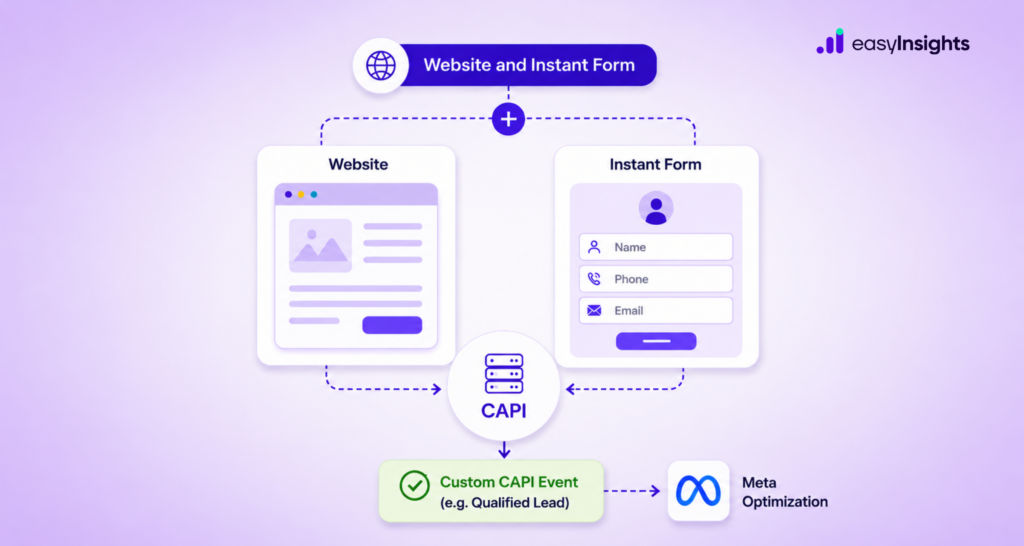
There is a way to continue using a custom CAPI event as the optimization signal while keeping Meta’s native Instant Form as the primary lead-generation journey.
The solution is to rethink how the campaign is structured.
Instead of building an Instant Form-only campaign, you can use a hybrid Website + Instant Form setup to unlock the optimization capabilities required for your custom CAPI event.
Here’s how it works.
Jump ahead to:
How Instant Form Campaigns Traditionally Work
Instant Forms are designed to make lead generation frictionless.
Instead of sending users to an external landing page, Meta allows them to open a form directly within the platform, submit their information, and continue their journey without leaving the Meta environment.
Traditionally, marketers could create a campaign specifically around Instant Forms and optimize toward lead generation.
A lead may be valid or invalid. It may be qualified or unqualified. It may attend a demo, enter the sales pipeline, or eventually become a customer.
This is where custom CAPI events become important.
Why Custom CAPI Events Can’t Be Directly Selected in the Same Way
A custom CAPI event can represent an event that happens deeper in your funnel.
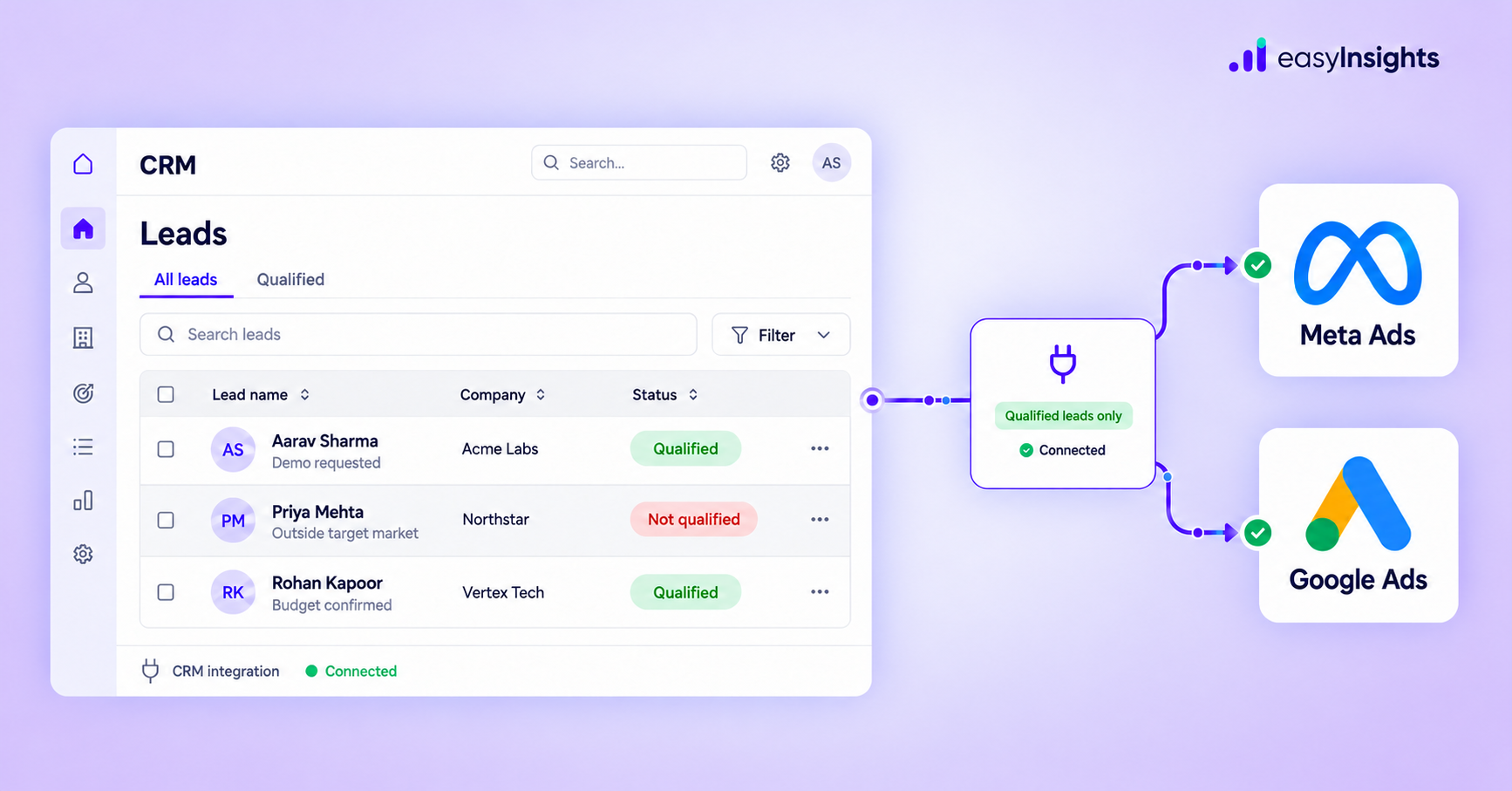
For example, your CRM may identify a lead as Qualified Lead after your sales team reviews it. You can send that event back to Meta using Conversions API.
However, with the updated backend requirements, marketers cannot simply run an Instant Form-only campaign and expect to select that custom CAPI event as the optimization event in the same way.
This creates a disconnect between the lead-generation experience and the business outcome you actually want to optimize for.
Additional read: Strategies to Optimize Meta Conversion API (CAPI)
The Workaround: Website + Instant Form
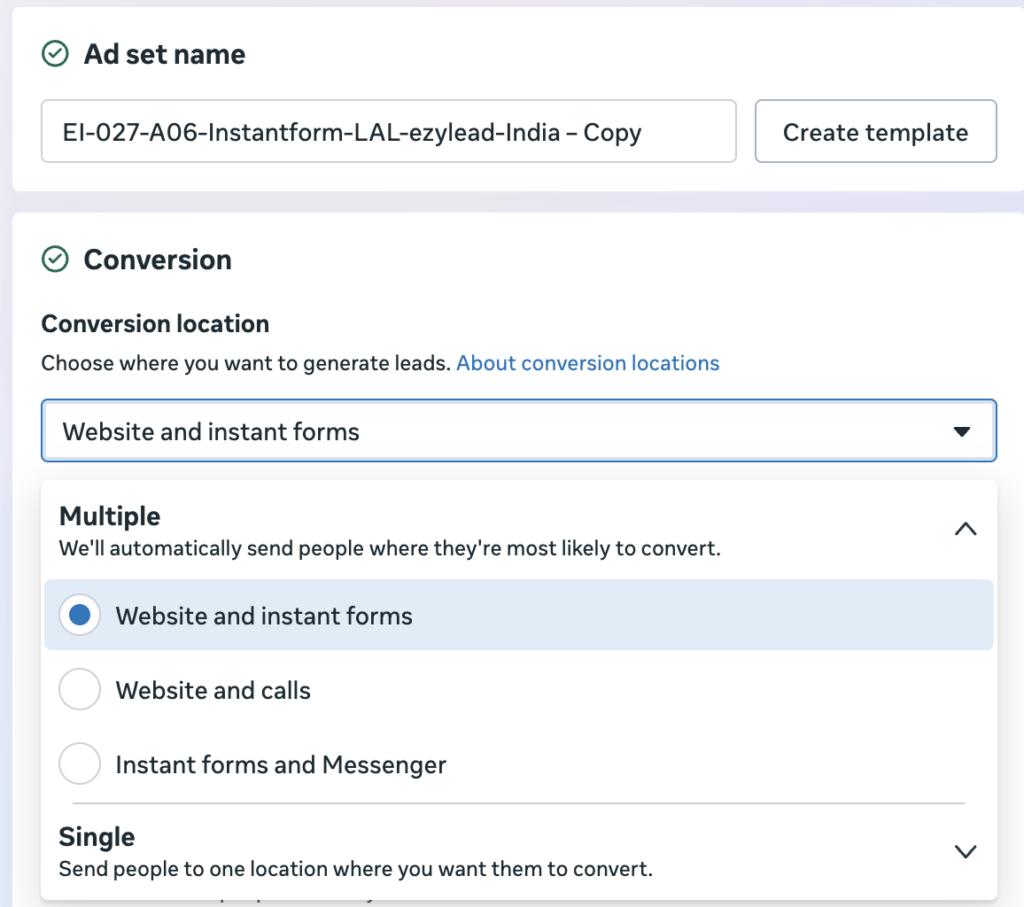
The workaround is to change the conversion location.
Instead of selecting: Conversion Location → Instant Form
Select: Conversion Location → Website and Instant Form
This hybrid setup gives Meta the campaign structure required to access the relevant optimization options.
You can then select the dataset receiving your CAPI events and choose the custom conversion event you want to use as your optimization signal.
Step-by-Step Setup
Step 1: Select Website and Instant Form
At the ad set level, select Website and Instant Form as your conversion location.
Step 2: Select Your Dataset
Once the hybrid conversion location is selected, choose the dataset where your CAPI events are being received.
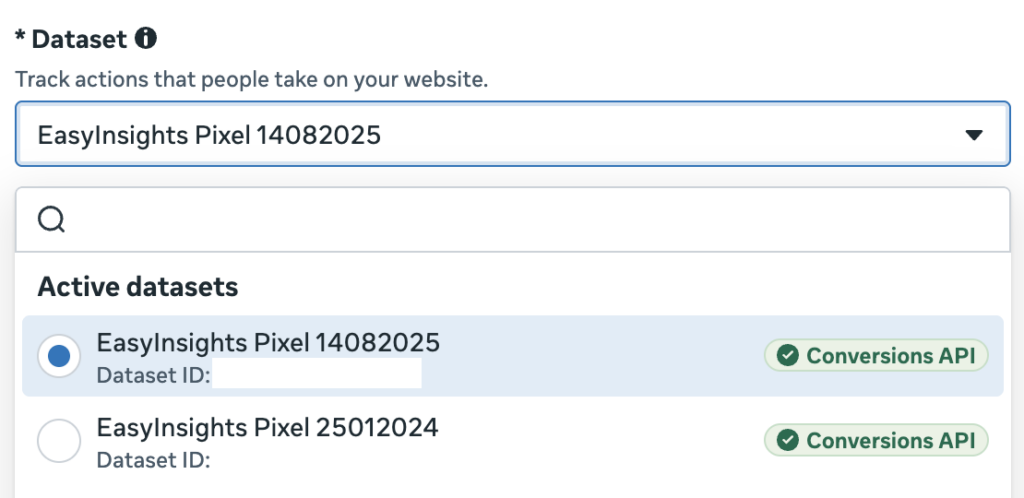
Step 3: Select Your Custom Conversion Event
Now select the custom conversion event you want Meta to optimize for.
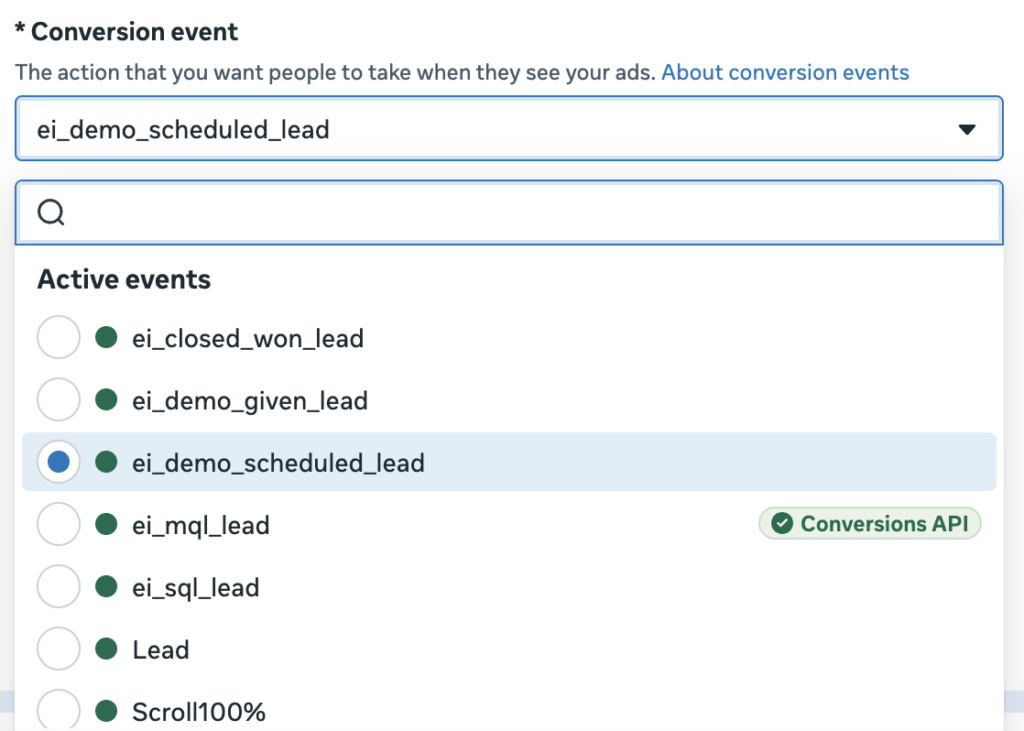
Step 4: Configure the Ad
At the ad level, provide both your website URL and Instant Form.
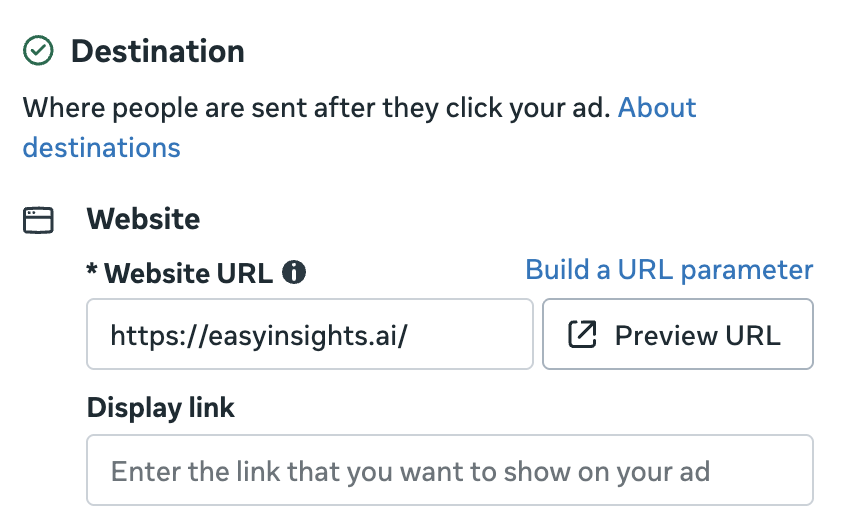
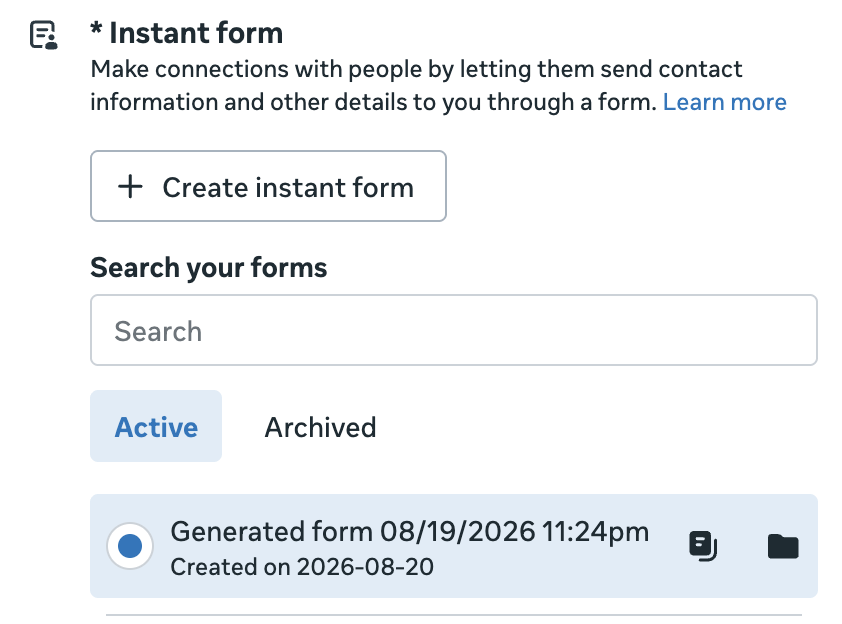
This allows Meta to determine which destination is more likely to drive a conversion for a particular user.
For brands that want to continue using native Instant Forms, this means the Instant Form remains part of the lead-generation journey while the custom CAPI event provides the optimization signal.
The result is a hybrid setup that connects the front end of your campaign with the deeper stages of your funnel.
Why Use a Custom CAPI Event?
Consider a typical lead-generation funnel: Lead → Qualified Lead → Demo → Opportunity → Customer
If your CRM can identify these stages and you can send them back to Meta through CAPI, you can provide the platform with richer conversion signals.
Instead of optimizing purely for volume, you can move toward optimizing for business value. This is especially important for brands where lead quality varies significantly across audiences, campaigns, or creatives.
The strategic shift is from: “How many leads can we generate?”
To: “How many valuable leads can we generate?”
That is where custom CAPI events become powerful.
Implement CAPI with EasyInsights
The campaign setup is only one part of the equation.
For this strategy to work effectively, your CAPI implementation needs to reliably capture and send the right downstream events to Meta.
EasyInsights connects your marketing and CRM data with advertising platforms so that important funnel events can be sent back to Meta through server-side tracking.?
With EasyInsights, marketers can build this feedback loop by connecting their CRM and funnel data with Meta through server-side conversion tracking.
That allows the data generated after the form submission to become part of your advertising optimization strategy.
Conclusion
Meta’s backend changes have made it harder to directly use custom CAPI events with Instant Form-only campaigns.
But that does not mean marketers have to choose between Instant Forms and custom conversion signals.
By selecting:
Conversion Location → Website and Instant Form
you can use the hybrid campaign structure to access the relevant optimization options, select your dataset, and use your custom CAPI event as the optimization signal.
| Setup CAPI with EasyInsights within 24 hours Book a demo |