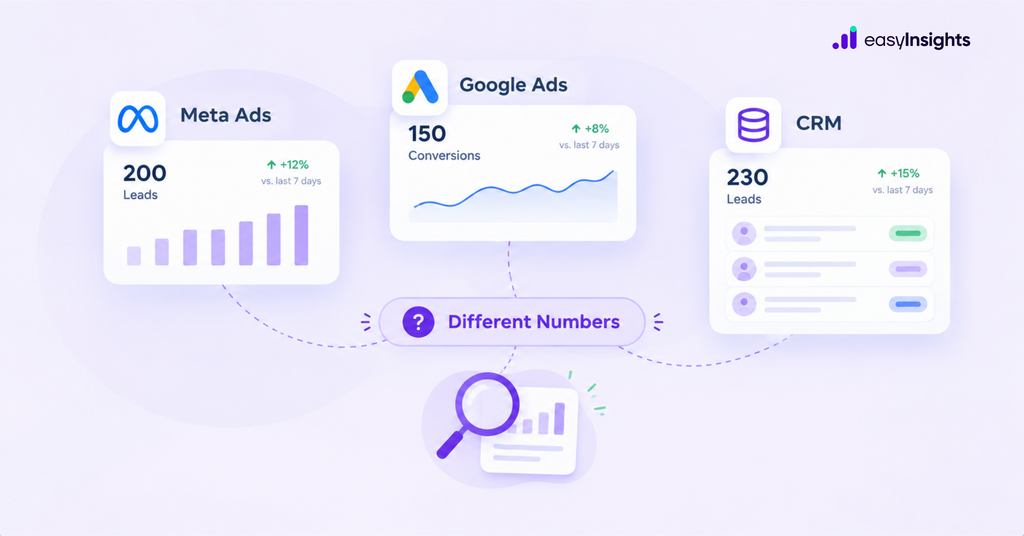
You check Meta Ads Manager and see 200 leads. Google Ads reports 150 conversions, but your CRM shows only 230 leads across both channels.
Which number should you trust?
This is a common challenge for performance marketers running campaigns across multiple advertising platforms. The discrepancy makes it difficult to understand campaign performance, calculate acquisition costs, and identify which channels generate valuable leads.
The reason often comes down to attribution in marketing. Meta Ads, Google Ads, and your CRM measure different parts of the customer journey, use different reporting methods, and may count the same conversion differently.
Understanding these differences is essential for accurate conversion tracking and better marketing decisions.
Jump ahead to:
Different Platforms Use Different Attribution Models
Marketing attribution determines how credit for a conversion is assigned to advertising interactions. Meta Ads and Google Ads evaluate conversions within their respective measurement systems. Your CRM records leads, customer details, and their progress through the sales funnel.
Consider a prospect who sees a Meta ad, later clicks a Google Search ad, and submits a demo request. Meta may attribute the conversion to its advertising, while Google may also attribute it to a Google Ads interaction. Your CRM records one lead.
Consequently, the advertising platforms may report two attributed conversions, while the CRM contains one lead record. This doesn’t automatically indicate a tracking error. It reflects different attribution systems measuring the same customer journey.
Additional read: Everything You Need To Know About Marketing Attribution Models
Attribution Windows Affect Conversion Numbers
An attribution window determines how long after an eligible advertising interaction a conversion can receive credit.
If a prospect interacts with an ad and converts several days later, the conversion may fall within one platform’s attribution window but outside another’s. For example, a customer might click a Google Search ad on Monday, see a Meta ad on Thursday, and submit a form the following week. Depending on the configured attribution settings, both platforms may claim credit.
To investigate discrepancies, compare attribution windows and check whether click-through or view-through conversions are included in each platform’s reporting. The objective isn’t necessarily to make every setting identical. It’s to understand why each platform reports the numbers it does.
Conversion Tracking Issues Can Create Reporting Gaps
Not every discrepancy is caused by attribution. Problems with conversion tracking can also lead to missing, duplicated, or incorrectly recorded events.
Common issues include:
- Missing tracking parameters: UTM parameters or click identifiers are not captured correctly.
- Incorrect event mapping: A form submission is recorded as the wrong conversion event.
- Duplicate conversions: The same event is counted more than once.
- Failed integrations: Website leads do not reach the CRM, or CRM updates are not sent to advertising platforms.
- Reporting delays: Conversions appear in different reporting periods.
For example, Meta might report 100 leads, while the CRM attributes only 75 to Meta. The gap could reflect missing source information, integration issues, duplicate records, or differences in reporting definitions.
Audit the complete journey from ad interaction to website conversion and CRM record creation before concluding that the platform’s numbers are incorrect.
More read: How to use server side tracking for better conversion tracking
Your CRM Measures Different Outcomes
Advertising platforms typically report conversions according to configured tracking and attribution settings. A CRM provides operational information about the leads and customers recorded by your business.
It can show whether a lead was contacted, qualified, accepted by sales, converted into an opportunity, or marked as a closed deal. This distinction matters for lead generation brands.
A campaign may generate 200 form submissions, but only 30 might qualify as sales opportunities. Looking only at platform-reported conversions doesn’t reveal the full business outcome. For this reason, marketers should distinguish between platform-attributed conversions, unique CRM leads, qualified leads, and actual sales.
How to Reconcile Meta Ads, Google Ads, and CRM Data
You don’t need every system to report identical numbers. You need a consistent way to understand the differences.
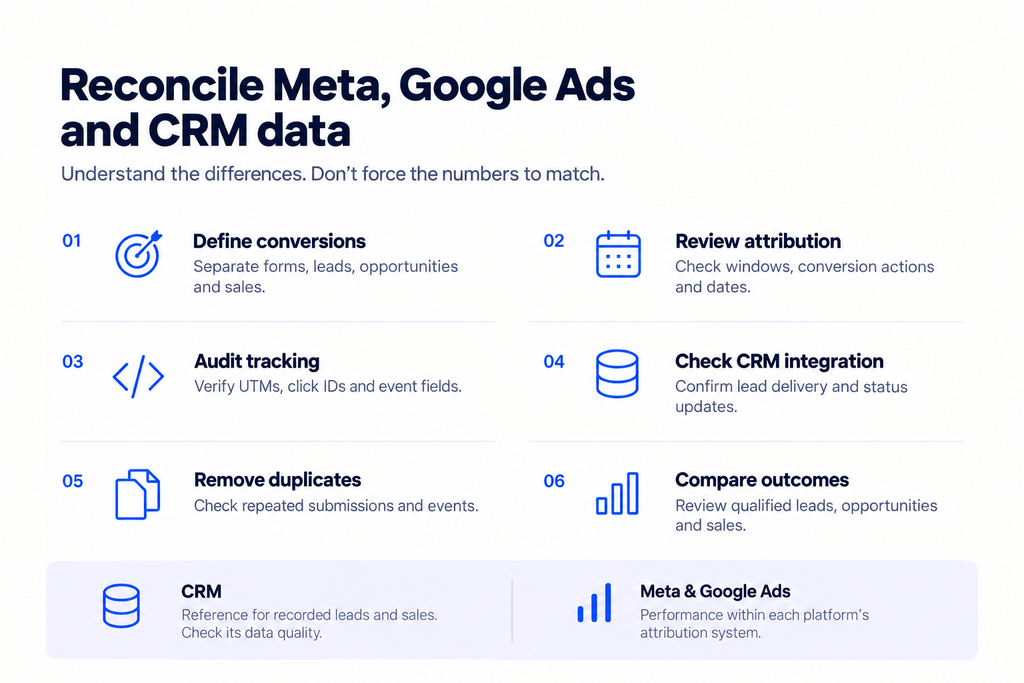
- Define each conversion clearly. Separate form submissions, unique leads, qualified leads, opportunities, and sales.
- Review attribution settings. Check attribution windows, conversion actions, and reporting dates.
- Audit tracking implementation. Verify that UTMs, relevant click identifiers, and event fields are captured correctly.
- Check CRM integration. Confirm that leads enter the CRM and subsequent status updates are recorded accurately.
- Identify duplicates. Ensure repeat submissions and repeated events are not inflating counts.
- Compare downstream outcomes. Evaluate qualified leads, opportunities, and sales alongside platform-reported conversions.
Use the CRM as your operational reference for recorded leads and sales, while checking its own data quality. Use Meta and Google reporting to understand performance within each platform’s attribution system.
How EasyInsights Helps Connect CRM Data to Ad Platforms
Accurate attribution is only part of the challenge. Marketers also need a reliable flow of data between their CRM and advertising platforms.
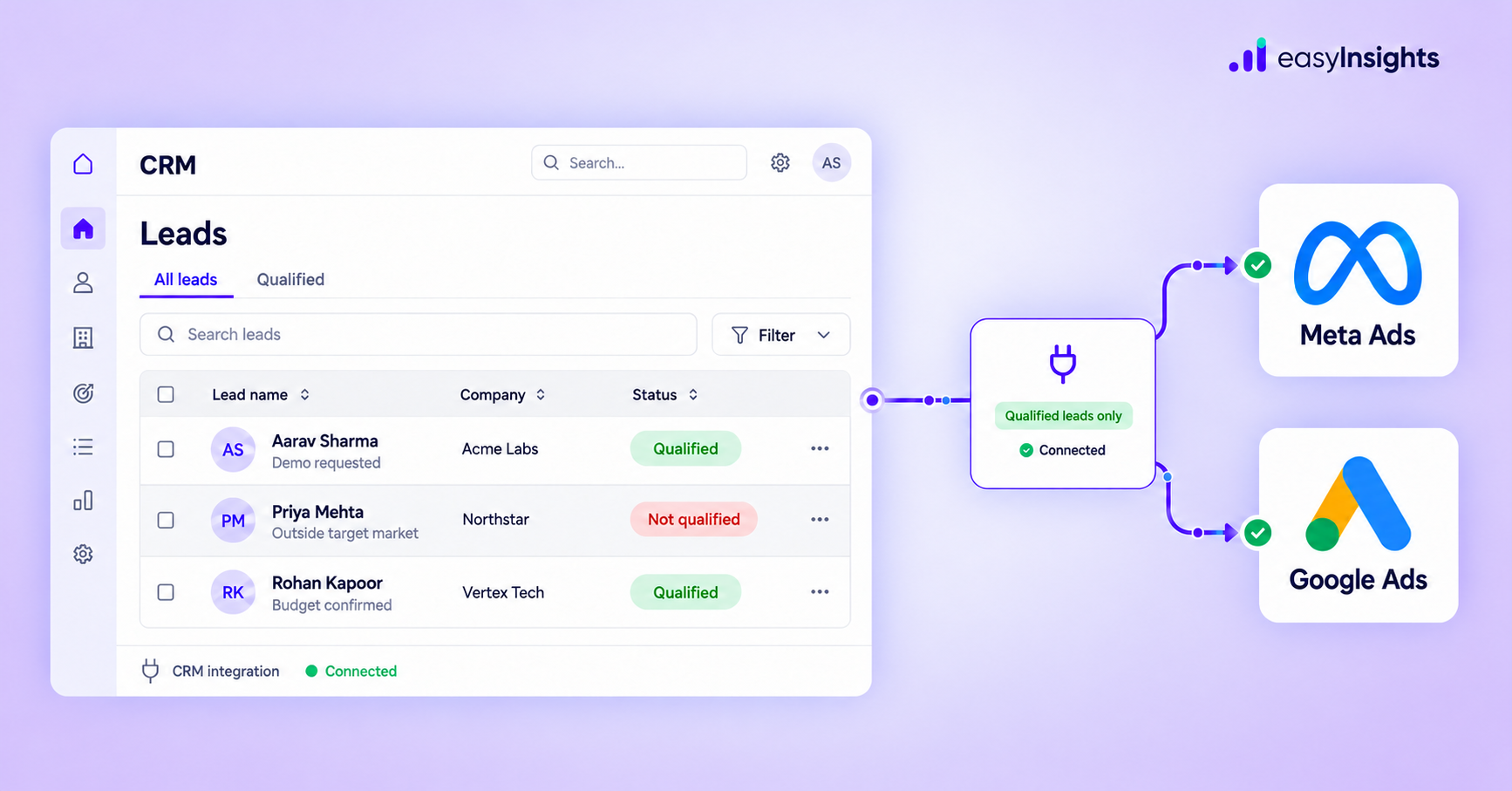
EasyInsights helps businesses connect their CRM with Meta Ads and Google Ads and send relevant lead-stage and conversion data back to those platforms. For lead generation brands, this can include qualified leads and downstream sales stages, depending on the integration and CRM setup.
By connecting CRM outcomes with advertising platforms, marketers can provide additional signals about what happens after a form submission. This supports a more informed approach to campaign optimization than relying exclusively on initial lead volume.
The goal isn’t to force Meta, Google, and your CRM to report identical numbers. It’s to understand their differences, identify genuine tracking issues, and connect campaign activity with meaningful business outcomes.
Frequently Asked Questions
Why do Meta Ads and Google Ads report different conversions?
Each platform uses its own attribution rules, conversion settings, and tracking signals. The same lead may receive credit in both platforms but appear once in your CRM.
What is attribution in marketing?
Attribution in marketing is the process of assigning credit for a conversion to advertising interactions or other marketing touchpoints. Different attribution models can produce different results.
How can I improve conversion tracking?
Check event configuration, attribution settings, tracking parameters, duplicate events, and CRM integration. Compare equivalent conversion actions and reporting periods.
Should I trust my CRM or advertising platform data?
Use advertising platforms to evaluate their reported campaign performance and a validated CRM dataset to assess recorded leads and sales. Neither system is automatically error-free.
Conclusion
Differences between Meta Ads, Google Ads, and CRM numbers are often caused by attribution models, conversion tracking configurations, and differences in how each system records outcomes.
Rather than forcing the numbers to match, identify what each metric represents, investigate genuine tracking gaps, and compare advertising performance with validated CRM outcomes.
| Better marketing attribution starts with understanding the data. Better campaign optimization starts with connecting that data to the outcomes your business cares about. Book a demo |