Meta Ads performance is no longer just about identifying which campaign or ad is generating the best results. Advertisers also need to understand which creative elements are contributing to that performance.
Until recently, when multiple images, videos, headlines, or descriptions were used within an ad, understanding the performance of each individual element could be difficult.
Meta is addressing this with its new Creative Breakdown feature in Meta Ads Manager. Advertisers can now view performance data for individual media assets and text variations within an ad, giving them more visibility into which creative elements are being delivered and how they perform.
For performance marketers running multiple creative variations, this update offers another way to make data-informed creative decisions.
Here are five things every advertiser should know about Meta’s new Creative Breakdown feature.
Jump ahead to:
What Is Meta’s New Creative Breakdown Feature?
Meta’s Creative Breakdown feature allows advertisers to examine the performance of individual creative elements within an ad directly in Ads Manager. Instead of looking only at the overall ad performance, advertisers can break down results by individual images, videos, and text variations.
For example, if an ad contains multiple images and videos, advertisers can see how each media asset performed when delivered individually. They can also examine different text variations, including headlines and descriptions.
This gives marketers more visibility into creative delivery and helps them understand which elements are contributing to an ad’s overall performance.
5 Things Every Advertiser Should Know
Analyse Individual Images and Videos Within an Ad
One of the biggest additions is the ability to view performance at the individual media level. Suppose you are running an ad with five different images and three videos. Previously, understanding which specific asset was getting better results could require separate ads or additional testing.
With the new Creative Breakdown, advertisers can view the performance of individual images and videos that were delivered as single media assets.
This helps answer questions such as:
- Which image is receiving the most impressions?
- Which video is generating more clicks?
- Which creative is getting a larger share of the spend?
- Are static images or videos performing better?
Evaluate Headlines, Descriptions and Text Variations
Creative performance isn’t just about visuals. The messaging used in an ad also plays an important role in attracting attention and encouraging people to take action.
Meta’s new Dynamic Creative Element breakdown allows advertisers to examine the performance of different creative variations, including available text, headline and description options.
Consider a lead generation campaign where you’re testing two messaging approaches.
- Variation A: Focuses on the product’s benefits.
- Variation B: Highlights a specific problem faced by potential customers.
Instead of looking only at the overall ad results, advertisers can use the breakdown to understand how different messaging variations are performing.
Find Creative Breakdown in Meta Ads Manager
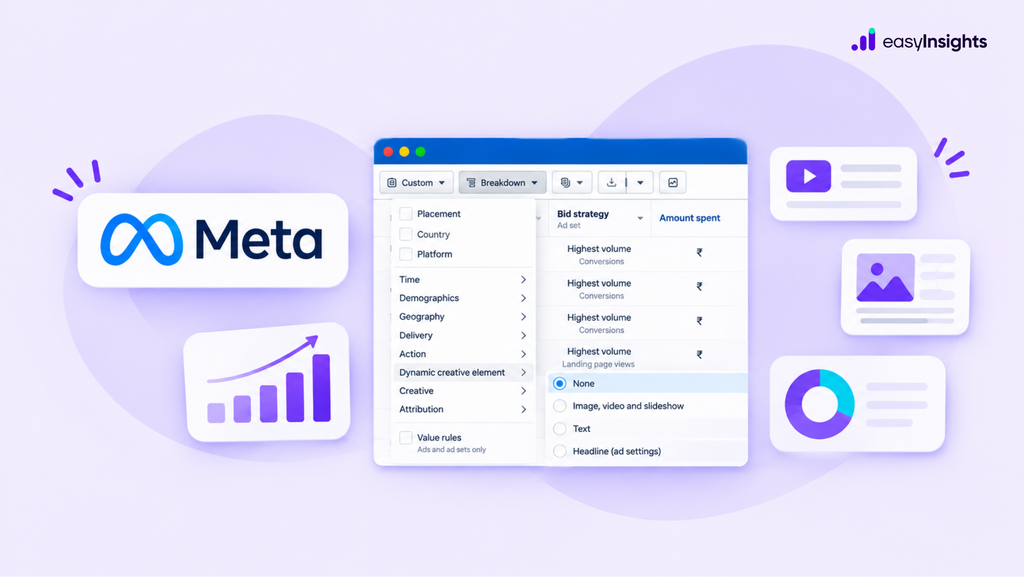
Meta has made these reporting options accessible through the existing Breakdown menu in Ads Manager.
To analyse individual images and videos:
- Open Meta Ads Manager.
- Navigate to the Ads level of your campaign.
- Select the Breakdown option.
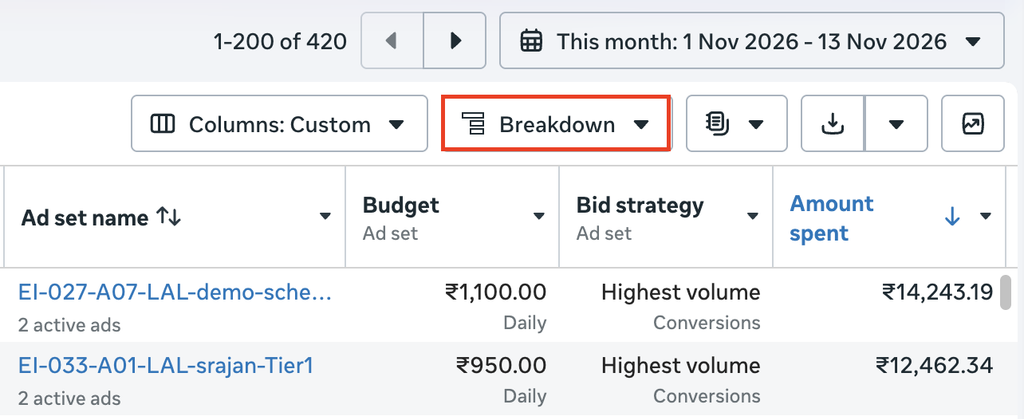
4. Go to Creative and select Media.
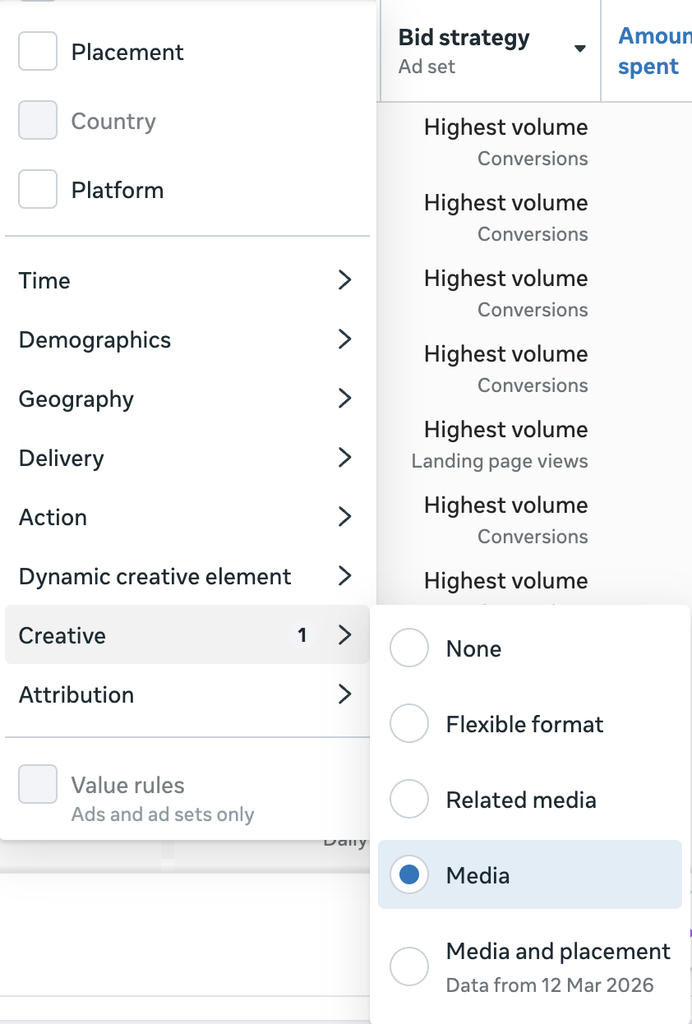
You’ll now be able to view the available performance data for individual media assets.
To analyse text variations:
- Open the Breakdown menu.
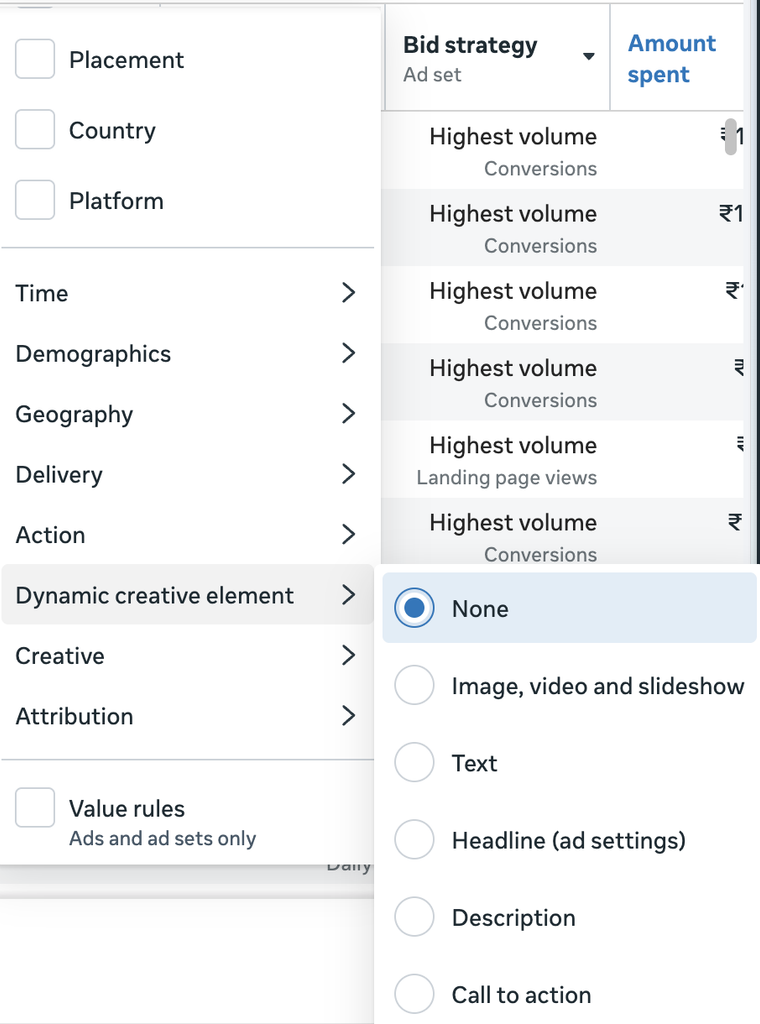
- Select Dynamic Creative Element.
- Choose the relevant option, such as Text, Headline or Description, depending on the available reporting options.
There is also an Ad Delivery breakdown that can provide reporting on media assets removed from an ad. This makes it easier for advertisers to explore creative-level reporting without relying entirely on separate reporting setups.
Review Performance of Removed Media Assets
Another useful aspect of the update is the ability to view reporting for media assets that have been removed from an ad. Advertisers can find this through the Ad delivery breakdown option, where available.
This can be particularly useful when managing campaigns with multiple creative variations. If an image or video is removed during creative optimisation, marketers may still want to understand how it performed while it was active.
Having access to this information can make creative reviews more informed and help teams retain learnings from previous tests.
Understand the Limitations of Creative Breakdown
While this update provides more detailed reporting, there are a few limitations advertisers should understand before making optimisation decisions.
Not every ad format is supported: The Media breakdown does not include assets delivered through additional display formats such as Show as Collection or Show as Carousel.
Some conversion events are not supported: Certain conversion actions, including Donate, Subscribe, Contact, Start Trial and other specified events, may not be available in these breakdown reports. Availability also differs between media and text reporting.
Results are estimates: Meta identifies these breakdown values as estimated. Therefore, advertisers should interpret the numbers carefully rather than treating every difference as conclusive evidence of creative performance.
No separate creative-level budgets: This is a reporting feature, not a budget allocation feature. Advertisers can see how spend is distributed across creative assets, but cannot assign a separate daily budget to each image or video within the same ad. Budget control remains at the campaign or ad set level.
Understanding these limitations is important when comparing creative performance and planning campaign changes.
How Should Advertisers Use Creative Breakdown to Improve Ad Performance?
The real value of this update lies in how advertisers use the information.
Here are three practical ways to apply it:
1. Identify creative patterns: Look beyond individual winners. Compare different visual styles, formats, messaging approaches, and content themes to identify patterns that can guide future creative development.
2. Use the findings to plan your next creative tests: If certain messaging or visual approaches consistently show stronger engagement, use those observations to develop new variations. Test new concepts rather than simply duplicating the same creative with minor changes.
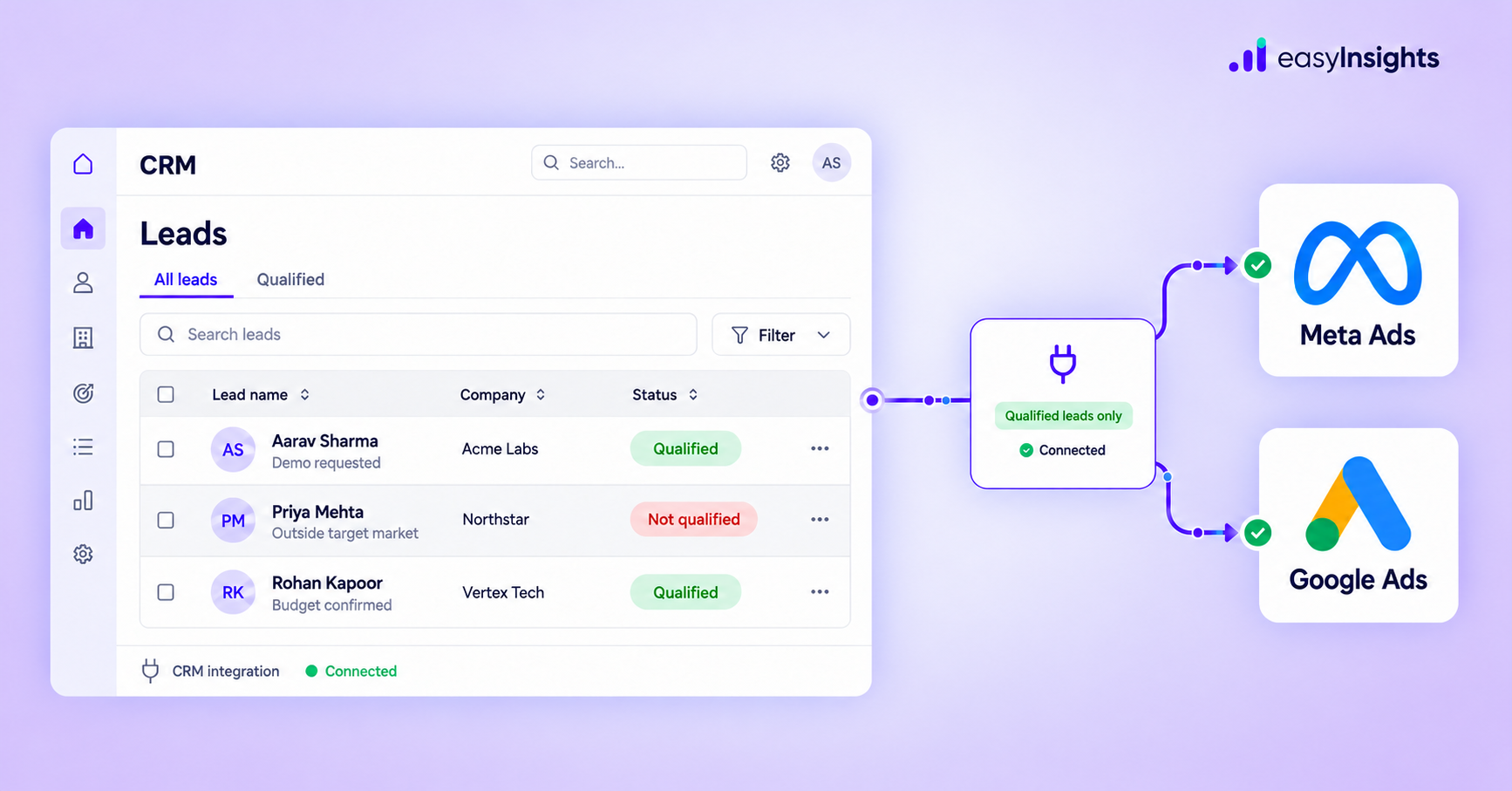
3. Connect creative performance with lead quality: For lead generation campaigns, clicks and form submissions are only part of the picture. A creative that generates a high volume of leads may not necessarily attract prospects who qualify or convert into customers.
Compare the creative-level findings with CRM outcomes to understand which campaigns and creative approaches are contributing to qualified leads and sales.
Additional read: How Sending Qualified Lead Signals Back to Ad Platforms Improves Performance
Final Thoughts
Meta’s new Creative Breakdown feature gives advertisers greater visibility into how individual images, videos, and text variations perform within their ads. It can help performance marketers make more informed creative decisions, understand delivery patterns, and plan their next round of creative tests.
However, creative performance should not be evaluated in isolation. For lead generation businesses, the real measure of success is not just which creative generates the most clicks or leads, but which one attracts prospects who move further through the sales funnel.
At EasyInsights, we help lead generation marketers connect their CRM data with Meta Ads and Google Ads. By sending qualified lead stages and downstream conversion signals back to advertising platforms, marketers can give ad algorithms better signals to optimise towards.
Because better creative decisions matter, but understanding which creatives bring in leads that actually convert matters even more.
Frequently Asked Questions (FAQs)
What is the Creative Breakdown feature in Meta Ads Manager?
Meta’s Creative Breakdown feature allows advertisers to view performance data for individual images, videos, and text variations within an ad through the Breakdown menu in Ads Manager.
How do I see the performance of individual images and videos in Meta Ads?
Open Meta Ads Manager, select the relevant ad, click Breakdown, navigate to Creative, and select Media. This view displays performance for images and videos delivered as single media assets.
Can I see which headline or description performs better in Meta Ads?
Yes. Advertisers can use Breakdown > Dynamic creative element and select the available text option to examine the performance of different text variations.
Does Meta Creative Breakdown support carousel ads?
The Media breakdown does not include additional formats enabled through options such as Show as carousel or Show as collection.
Does Creative Breakdown show which ad creative generates the best-quality leads?
The feature provides creative-level delivery and performance information, but it does not independently establish which creative generates the best-quality leads. Advertisers should compare Meta’s reporting with CRM data, lead qualification stages, and sales outcomes to evaluate lead quality.