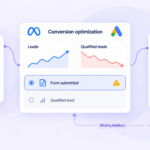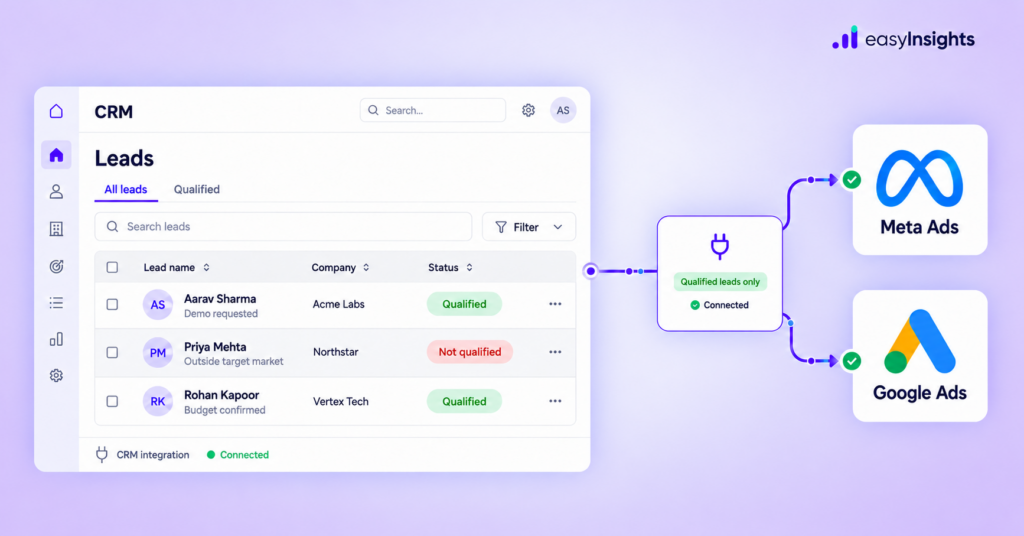
Your advertising campaigns generate leads, but do Meta Ads and Google Ads know which of those leads actually qualify or become customers?
When someone submits a form, the advertising platform records an initial conversion. But the lead’s journey continues in your CRM. The sales team may qualify the prospect, schedule a meeting, create an opportunity, or eventually close a deal. If this information never reaches your ad platforms, they have limited visibility into what happens after the initial conversion.
Sending qualified leads and sales outcomes back to Meta Ads and Google Ads helps connect advertising activity with downstream business results. It can improve conversion measurement and provide additional signals for campaign optimization when the appropriate goals and bidding settings are configured.
Here’s how to set up this feedback loop.
Jump ahead to:
Why Send CRM Conversion Data Back to Ad Platforms?
Most lead generation funnels include multiple stages:
Form Submission → MQL → SQL → Opportunity → Closed Deal
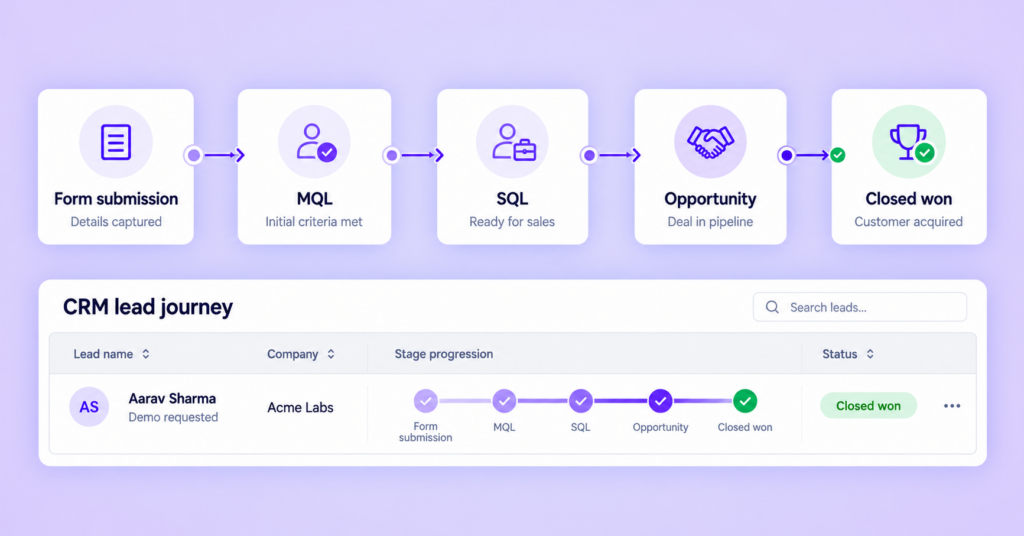
Each stage represents a different level of progress. A form submission shows initial interest, while a qualified lead or closed deal provides stronger evidence of business value.
When campaigns optimize only for form submissions, platforms may have limited information about which leads progress through the funnel.
Sending CRM conversion data can help you:
- Measure qualified leads and sales outcomes more accurately.
- Connect initial ad interactions with later conversions.
- Give advertising platforms additional signals about lead quality.
- Evaluate campaign performance beyond cost per lead (CPL).
The objective isn’t simply to send more data. It’s to send accurate, meaningful conversion events that align with your business goals.
Identify Which Conversion Events to Send
Before integrating your CRM, decide which stages matter most to your business.
Common conversion events include:
| CRM stage | What it represents |
|---|---|
| Form submission | A prospect has shared their details |
| Marketing-qualified lead (MQL) | The lead meets initial qualification criteria |
| Sales-qualified lead (SQL) | The lead is suitable for sales follow-up |
| Opportunity created | A potential deal has entered the sales pipeline |
| Closed won | The lead has become a customer |
You don’t necessarily need to send every stage as an optimization event. Prioritize events that are consistently recorded, meaningful to the business, and supported by sufficient conversion data.
For example, a business with a long sales cycle may begin by sending qualified-lead events before evaluating whether opportunity or closed-deal events are suitable for campaign optimization.
How to Send Qualified Leads to Meta Ads
Meta’s Conversions API for CRM enables advertisers to connect CRM data with Meta technologies and send downstream lead events to support lead-quality optimization.
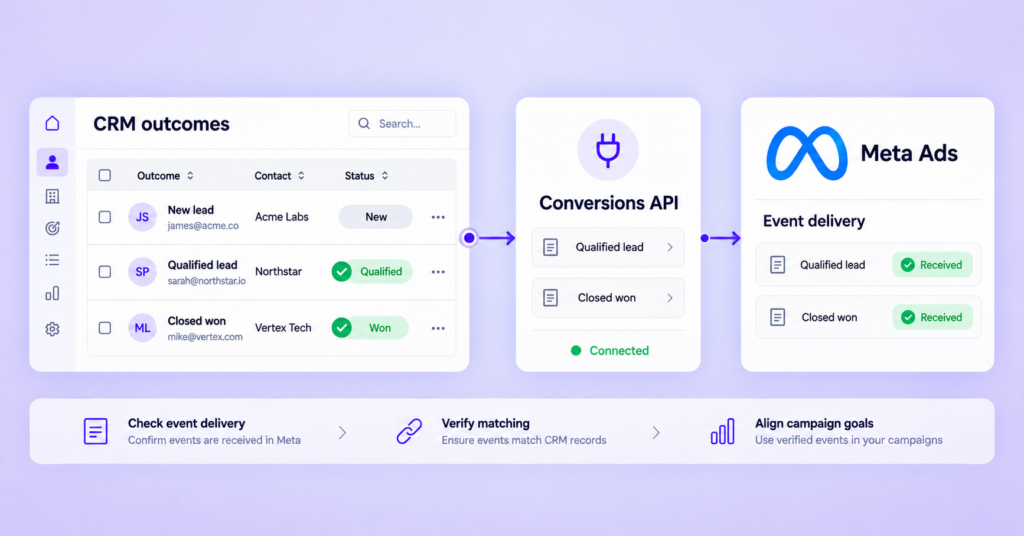
The general implementation process involves four steps:
Step 1: Connect your CRM. Establish a supported integration between your CRM and Meta’s conversion data infrastructure.
Step 2: Map lead stages. Define how CRM statuses, such as qualified lead or sales-accepted lead, correspond to the conversion events you intend to send.
Step 3: Send the relevant events. Transmit eligible conversion events with the required identifiers and event details. Follow Meta’s requirements for matching, event formatting, and deduplication where applicable.
Step 4: Validate the setup. Use Meta Events Manager and Ads Manager to review event delivery, diagnostics, and campaign configuration.
Sending qualified-lead events alone does not automatically change campaign optimization. Review the campaign’s performance goal and ensure the intended event is being used appropriately.
For implementation guidance, refer to Meta Blueprint’s guide to Conversions API for CRM.
How to Send Qualified Leads and Sales Outcomes to Google Ads
Google Ads supports enhanced conversions for leads, which uses eligible first-party customer data alongside conversion information to improve measurement and matching for leads that convert later. Offline conversion workflows can also connect sales outcomes recorded outside the website with advertising interactions.
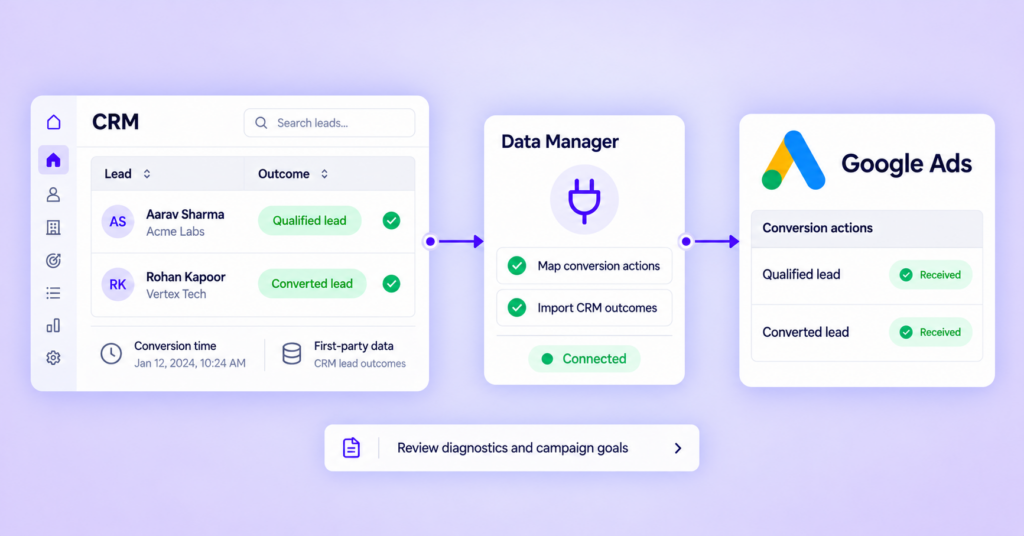
Here’s the general process:
Step 1: Capture the necessary identifiers. Collect available identifiers, such as Google click IDs and eligible first-party customer data, in accordance with Google’s requirements and applicable consent rules.
Step 2: Configure conversion actions. Set up conversion actions for meaningful outcomes, such as qualified leads or converted leads.
Step 3: Import CRM outcomes. Use a supported method, such as Google Ads Data Manager or an eligible integration, to send the relevant conversion records.
Step 4: Review diagnostics. Check import status, conversion matching, timestamps, and any reported errors.
Step 5: Review campaign goals. Confirm that the relevant conversion actions and campaign-level goals reflect the outcomes you want to measure and optimize for.
Google’s offline conversion workflows have changed in 2026, including the move toward Data Manager for new API-based imports. Check the latest documentation before implementing or updating your integration.
See Google’s enhanced conversions for leads documentation.
How EasyInsights Helps Connect CRM Data to Ad Platforms
Managing CRM events across multiple advertising platforms can become complex, especially when different lead stages need to be mapped and sent consistently.
EasyInsights helps lead generation brands connect their CRM to Meta Ads and Google Ads and send relevant lead-stage and sales conversion data back to the platforms.
This helps marketers establish a feedback loop between the leads their campaigns generate and the outcomes their sales teams record in the CRM. Instead of measuring success only through form submissions, businesses can incorporate qualified leads and other meaningful downstream events into their conversion measurement strategy.
The results depend on accurate CRM data, correct event mapping, successful delivery, and appropriate campaign configuration.
How to Measure Whether It Is Working
After implementing CRM conversion tracking, evaluate both advertising performance and sales outcomes.
Monitor these metrics:
- Cost per lead (CPL): The cost of generating an initial lead.
- Cost per qualified lead (CPQL): The cost of generating a lead that meets your qualification criteria.
- Lead qualification rate: The percentage of leads that qualify.
- Opportunity rate: The percentage of leads that progress into sales opportunities.
- Customer acquisition and revenue: The downstream business outcomes your measurement setup can reliably track.
A campaign with a higher CPL may still deliver better results if it generates more qualified leads at a lower CPQL. Compare results over a suitable period, accounting for the time it takes leads to progress through your sales funnel.
Also, verify that conversion events are delivered correctly and that the intended events are configured for campaign optimization. Better data creates an opportunity for better decisions, but it does not guarantee improved performance.
Also read: How to do google ads conversion tracking
Conclusion
Sending qualified leads and sales outcomes back to Meta Ads and Google Ads helps bridge the gap between advertising conversions and actual business results.
By connecting your CRM, mapping meaningful events, validating data delivery, and configuring the right conversion goals, you can give your marketing team a clearer view of lead quality and provide ad platforms with additional signals for optimization.
| The goal is to move beyond counting leads and build a measurement system that reflects how those leads progress toward customers and revenue. Book a demo |
Frequently Asked Questions
Can I send qualified leads from my CRM to Meta Ads?
Yes. Meta’s Conversions API for CRM supports sending eligible CRM conversion events to Meta technologies, helping advertisers provide downstream lead-quality signals.
Can Google Ads track sales that happen offline?
Yes. Supported offline conversion and enhanced conversions for leads workflows can connect eligible offline outcomes with advertising interactions.
Should I send every CRM stage to Meta and Google Ads?
Not necessarily. Start with meaningful, consistently recorded events that align with your business goals. Choose optimization events based on data quality, conversion volume, and campaign requirements.